
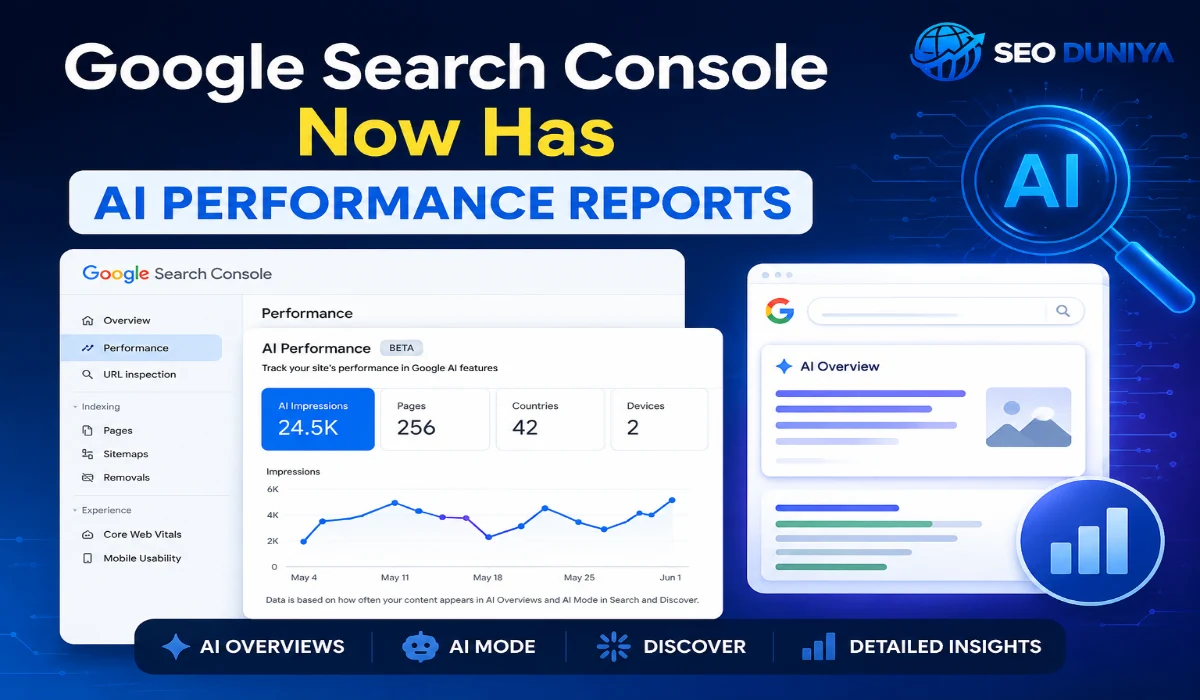

Google Search Console Now Has AI Performance Reports: Here’s What You Need to Know (2026)
Google launched a brand new feature in Search Console on June 3, 2026 — the Generative AI Performance Reports. This is a big deal for every website owner who wants to know how their site is performing inside Google’s AI-powered search features. If you do SEO or simply care about your website traffic, this guide is for you.
In this article, we will explain in simple, easy-to-understand words what this report is, why it matters, and how you can use it to make your website more visible in AI search.
What Is the Google Search Console AI Performance Report?
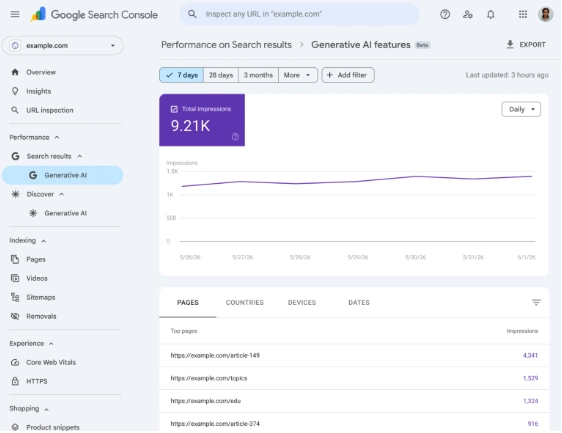
Google Search Console is a free tool that shows you how your website is doing in Google Search. Now, Google has added a new dedicated section to it called the Search Generative AI Performance Report.
This report specifically tracks how often your website’s pages appear inside AI Overviews and AI Mode on Google. Before this update, that data was mixed in with all your other regular search data, and it was very hard to separate. Now you get a clean, separate view just for AI features.
When someone searches on Google and Google shows an AI-generated answer at the top (called AI Overview or AI Mode), and your website appears inside that answer — this new report tracks that. It tells you how visible your site is in those AI-powered results.
Why Did Google Create This Report?
Since 2024, Google’s AI search features like AI Overviews have been showing up more and more in search results. They are changing the way people find information online. But website owners had one big frustration:
“Is my website even showing up in these AI answers? I have no idea.”
There was no easy way to find out. All the AI impression data was buried inside the general performance report. Google has now solved this problem with a dedicated report just for AI visibility.
This is a major step toward transparency. For the first time, you can clearly see how visible your site is inside AI-generated answers on Google.
What Data Does This Report Show?
The report gives you five types of data:
| Data Type | What It Shows |
| Impressions | How many times your URLs appeared inside AI features in Search and Discover |
| Pages | Which specific pages of yours appeared in AI answers |
| Countries | Which countries your AI visibility is strongest in |
| Devices | Whether people saw your site on mobile or desktop (available for Search) |
| Dates | Track your performance over time — hourly, daily, weekly, or monthly |
Does It Show Click Data?
No — not yet. Right now, this report only shows impressions. There are no clicks, no CTR (click-through rate), no average position, and no query data.
Google has said they will add more metrics over time. But for now, this report answers “how visible am I in AI search?” — it does not yet answer “how much traffic is AI search actually sending to my site?” The gap is half-closed, not fully closed.
Which AI Features Are Covered?
This report covers two separate surfaces:
1. Search Generative AI Features
This includes:
- AI Overviews — the AI-generated summary box that appears at the top of search results
- AI Mode — Google’s conversational AI search experience where users can have a back-and-forth with Google
2. Discover Generative AI Features
This covers your visibility inside Google Discover’s AI-powered content recommendations.
Both have their own dedicated reports, so you can clearly understand where your performance is strong and where it needs work.
How This Report Connects to SEO, AEO, and GEO
SEO (Search Engine Optimization)
Traditional SEO focuses on clicks, rankings, and impressions in regular blue-link search results. This new report adds a fresh dimension — AI search visibility.
With this data, you can now find out:
- Which of your pages are being featured inside AI Overviews
- What type of content Google’s AI tends to use from your site
- Which countries you have the strongest AI presence in
Action step: If your pages are already appearing in AI Overviews, those pages are well-structured and trusted by Google. Study their format — the way they are written, the headings they use, the tone — and apply the same style to your other pages.
AEO (Answer Engine Optimization)
AEO means optimizing your content so that AI systems and voice search engines can pull direct, clear answers from it. This new report is probably the most powerful AEO measurement tool available right now.
Here are the key AEO practices that align with what this report measures:
- Write structured, direct answers — AI pulls content that answers questions clearly and quickly
- Use FAQ-style formatting — Short, focused answers to common questions tend to appear in AI Overviews
- Build authoritative content — Google’s E-E-A-T framework (Experience, Expertise, Authoritativeness, Trustworthiness) plays a big role in what AI picks up
Action step: Look at which pages are getting the most AI impressions in this report. Study how that content is structured. Then take your pages that are getting zero AI impressions and rewrite them with clearer headings and more direct answers.
GEO (Generative Engine Optimization)
GEO is a newer concept — it means optimizing your website specifically for generative AI engines like Google AI Mode, ChatGPT, Perplexity, and similar tools.
This new report effectively becomes your GEO scorecard. You can now track whether your GEO efforts are actually working or not.
Key factors that help with GEO performance:
- Factual accuracy — AI systems prefer trusted, accurate sources over vague or unreliable ones
- Clear topic authority — Deep, focused content on one topic performs better than shallow coverage of many topics
- Structured data / Schema markup — This helps AI understand what your content is about more easily
- Regular content updates — Fresh content tends to perform better in both AI features and Google Discover
Action step: Use the Countries and Devices data to understand which audience is finding you through AI search. Then create more content specifically targeted at that audience.
Who Has Access to This Report Right Now?
This report is not available to all website owners yet. Google is rolling it out slowly and carefully:
- The initial rollout began with a subset of websites in the UK
- A global rollout will follow, but no exact date has been given
- Google wants to test and gather feedback before making it available to everyone
If you do not see it in your Search Console yet, that is completely normal. Keep checking regularly. When it becomes available to you, you will find it in the Performance section of Search Console as a new dedicated AI tab or section.
How Is This Different From the Regular Performance Report?
| Feature | Regular Performance Report | AI Performance Report |
| Coverage | All Google Search results | Only AI Features |
| Clicks | ✅ Yes | ❌ Not yet |
| Impressions | ✅ Yes | ✅ Yes |
| Search Queries | ✅ Yes | ❌ Not yet |
| Pages | ✅ Yes | ✅ Yes |
| Countries | ✅ Yes | ✅ Yes |
| Date Granularity | Standard | Hourly, Daily, Weekly, Monthly |
One important thing to know: the AI data will still be included in the regular performance report as well. This new report is an extra dedicated view, not a replacement for your existing data.
How to Use This Report to Build a Better Strategy
Step 1: Check Your Pages Data
Look at which URLs are showing up most often in AI Overviews and AI Mode. These are your best AI-performing pages right now.
Step 2: Find the Pattern
What do your top AI pages have in common? Ask yourself:
- Are they answering a specific question directly?
- Are they written in a clear list or structured format?
- Do they go deep on one specific topic?
Step 3: Fix Your Underperforming Pages
Take your important pages that are not appearing in AI results at all and restructure them to match the format of your top-performing pages.
Step 4: Use the Countries Data
See which countries are driving your AI impressions. If you notice strong visibility from a country you were not targeting before, consider creating more content for that audience.
Step 5: Track Performance Over Time
Use the weekly or monthly view to see whether your impressions go up or down after you publish new content or update existing pages. This helps you understand what is actually working.
What Are the Limitations of This Report?
This report is a great step forward, but it is important to be aware of its current limitations:
- No click data — You cannot see how much actual traffic is coming from AI answers, only how often you appear
- No query data — You cannot see which search terms are triggering your AI appearances
- Limited availability — Not everyone has access to it yet
- Impressions measure visibility, not value — A high number of impressions does not automatically mean more visitors or conversions
A Google spokesperson confirmed that they are working with website owners to understand what additional insights would be most helpful, and more metrics will be added over time.
Practical Tips to Improve Your AI Search Visibility
Now that you have a tool to measure AI performance, here are some practical steps you can take to actually improve those numbers:
Content Structure:
- Write clear, direct answers to questions your audience is searching for
- Use proper H2 and H3 headings so each section covers one clear topic
- Keep paragraphs short — 2 to 4 sentences works best for AI readability
Technical SEO:
- Add Schema markup (structured data) to your important pages
- Make sure your pages load fast — slow sites are less likely to be cited by AI
- Keep your site fully mobile-friendly
Content Quality:
- Show real experience and expertise in your writing (this is the E-E-A-T principle)
- Use facts, statistics, and examples with proper sources
- Update your content regularly so it stays fresh and accurate
Topic Authority:
- Go deep on specific topics rather than writing surface-level content on many topics
- Cover related questions on the same page where relevant
- Use internal links to connect your related content together
Final Thoughts: Why This Report Matters for Your Website
Google’s Search Generative AI Performance Report is a landmark update for the SEO and content marketing world. For the first time, website owners can clearly see how their content is performing inside AI-powered search experiences — not just guessing.
This report gives a new foundation for SEO, AEO, and GEO strategies together. Yes, it only shows impressions for now. But even that data is incredibly valuable because:
- You can clearly see which content Google’s AI trusts and uses
- You can make smarter, data-driven decisions about what to write and how to write it
- When click data is eventually added, you will already be ahead of the curve
The bottom line is simple: AI search is not coming in the future — it is already here. Website owners who start paying attention to this data today will have a big advantage tomorrow. If you have access to this report in your Search Console, start exploring it right away. If you do not have access yet, get your content AI-ready so you are prepared when the rollout reaches you.